Growth & clients
measure, message, report.
Tracked links with cost per real (non-bot) player, bot broadcasts to segments, white-label report links for clients and sponsors, clients, sponsors and one-click cloning of a campaign as a template.
01Tracked links and cost per real player
Links → New link: give each KOL, channel post or ad its own link. Fields: name, source (channel, KOL, ad network…), what you paid (USD) and an optional code (A–Z a–z 0–9 -, 2–24 characters; generated when empty, and fixed once created). The link is https://t.me/<bot>?startapp=l_<code>; it exists as soon as the bot is connected. Each link has a QR code for flyers and slides.
New players are attributed on their first open only. Real players = not banned and not excluded by anti-bot. Cost per real player = what you paid ÷ real players, and the table ranks links by it. The API also reports wallets linked and cost per wallet. Used links are archived, not deleted.
startapp links open the bot's Main Mini App. Set it once in BotFather with ?c=<slug> in the URL: see Main Mini App. Start parameters combine with __, e.g. ref_123__l_kol7.02Broadcasts and segments
Broadcasts → New broadcast: a bot message (plain text, up to 1000 characters) with a button that opens the Mini App. Audiences:
| Segment | Who |
|---|---|
| All players | Everyone in the campaign. |
| Inactive for N days | No activity for 1–90 days (win-back). |
| No wallet linked | Remind before the snapshot. |
| Members of a squad | One squad. |
| Lifetime points at least | A minimum of lifetime points. |
| Joined via a tracked link | Players attributed to one link. |
Count audience shows how many players will receive it. Send now or Schedule (UTC), Save draft, Cancel a scheduled or sending broadcast. Banned players and players who blocked the bot are always skipped.
The worker runs inside the API (BROADCAST_WORKER, on by default): at most 25 messages per second per bot, resumable after a restart, honours Telegram's retry_after, and marks a player as bot-blocked when Telegram answers 403. The button needs an https Mini App URL (mini_app_url_required otherwise); an empty audience is refused (segment_empty).
Never promise money or token prices in a broadcast. Announce seasons, events and snapshot dates.
Broadcast sending is covered by automated tests with a mocked Telegram API. Send a first broadcast to a small segment of your own test accounts.
03Report links for clients and sponsors
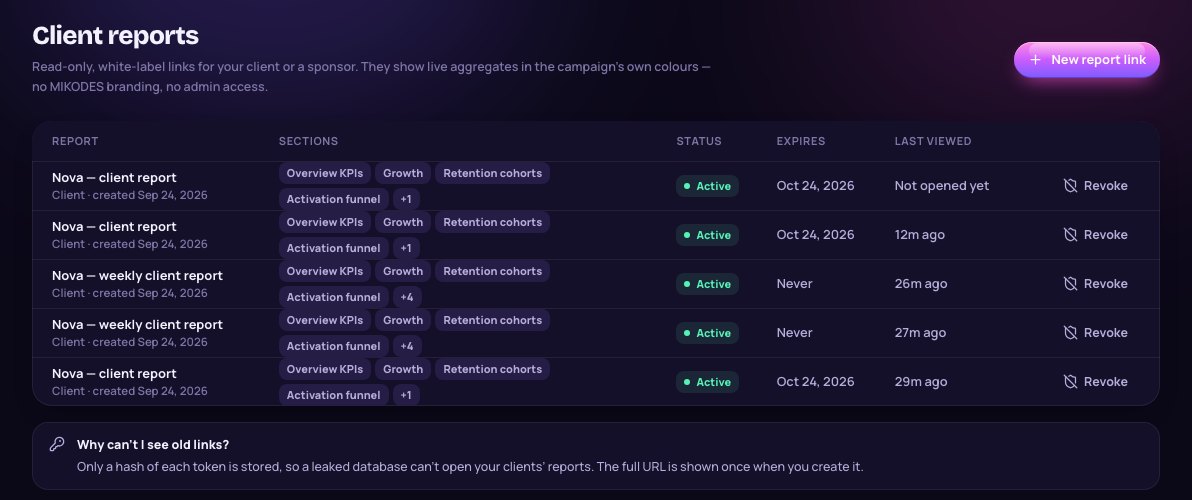
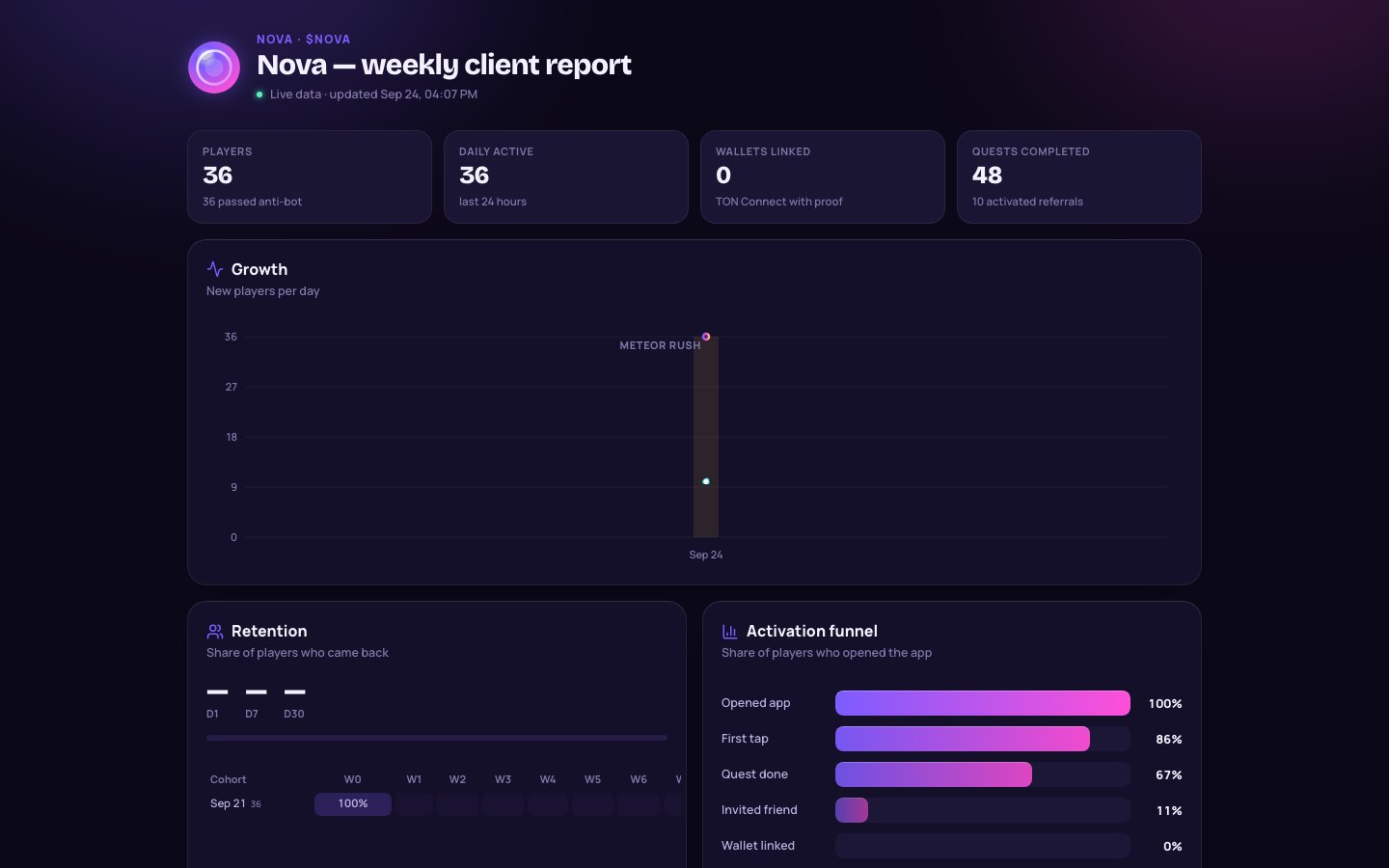
Reports → New report link: a read-only, white-label page in the campaign's own colours with aggregates only, never player identities. No login, no MIKODES branding, no admin access. Fields: label (the report title), sections, optional expiry, and scope.
| Section | Default |
|---|---|
| Overview KPIs, Growth, Retention cohorts, Activation funnel, Anti-bot | on |
| Acquisition links, Sponsored quests | off |
| Revenue (Stars, sponsored and recorded income) | off; owner only |
Scope Sponsor makes a report for one sponsor: they see only their own quests' completions and cost, never your links or revenue.
The URL is <ADMIN_PUBLIC_URL>/r/<token> and is shown once. Only a hash of the token is stored, so a leaked database cannot open your clients' reports; if you lose a link, revoke it and create a new one. The list shows status (active, expired, revoked) and when it was last viewed. A revoked or expired link shows "This report is no longer available".
If ADMIN_PUBLIC_URL is not set on the API, report links fall back to the first CORS_ORIGINS entry, usually the Mini App, and open the wrong site. The admin host also needs the index.html fallback so /r/<token> loads.
04Clients
Clients → Add client: the token projects you run campaigns for (name, contact, private notes such as deal terms or the sponsor split). Assign each campaign to its client in Settings → Campaign. Clients group campaigns, revenue and reports. They do not get admin logins. Deleting a client (owner) keeps its campaigns and revenue entries, just unassigned.
05Sponsors
Sponsors → Add sponsor: a partner that pays you to put a quest in front of your players (name, website, logo, private contact). Then create a sponsored quest for them (Quests). The sponsor card shows completions, earned (completions × price, capped by budget) and budget left. Invoice CSV exports billable verified completions per quest and UTC day for a date range (aggregates only, no player data). Sponsor report creates a sponsor-scoped report link.
A sponsor that still has quests cannot be removed (sponsor_has_quests): delete or unlink its quests first. Removing a sponsor revokes its report links. If the campaign belongs to a client, agree in writing who keeps sponsor income, and record paid sponsor invoices in Revenue.
06Clone a campaign as a template
Settings → Campaign → Clone as new campaign (or Clone as template in the campaign list): your next client in minutes. Choose a new name and slug and what to copy: economy, branding, quests, shop and fairness (on by default) and seasons (off by default; when on, the schedule is shifted to start tomorrow and premium items are remapped).
Never copied: players, tracked links, reports, sponsors, revenue, the bot token and the Adsgram secret. The clone starts as a draft without a bot: connect a new bot in its Launch checklist.
07Overview analytics
The campaign Overview shows real numbers only: players, daily active, retention D1/D7/D30 (a player counts once their day N is complete), Stars, anti-bot counts, new players per day (with the via-link share and event markers), the activation funnel with the biggest drop, weekly retention cohorts, live activity (names shortened to "First L."), sponsored quests and client reports. Ranges: 24 h, 30 d, 90 d, all. Nothing is shown until real people play.