Admin panel
one section per page.
Every page of the operator admin, what it is for, and who can change it. Press ⌘K / Ctrl+K in the admin to jump to any page.
01All pages
| Page | What it is for | Who can change it |
|---|---|---|
| All campaigns | Every campaign of the install with players, daily active and bot status. New campaign, Clone as template. | manager+ to create |
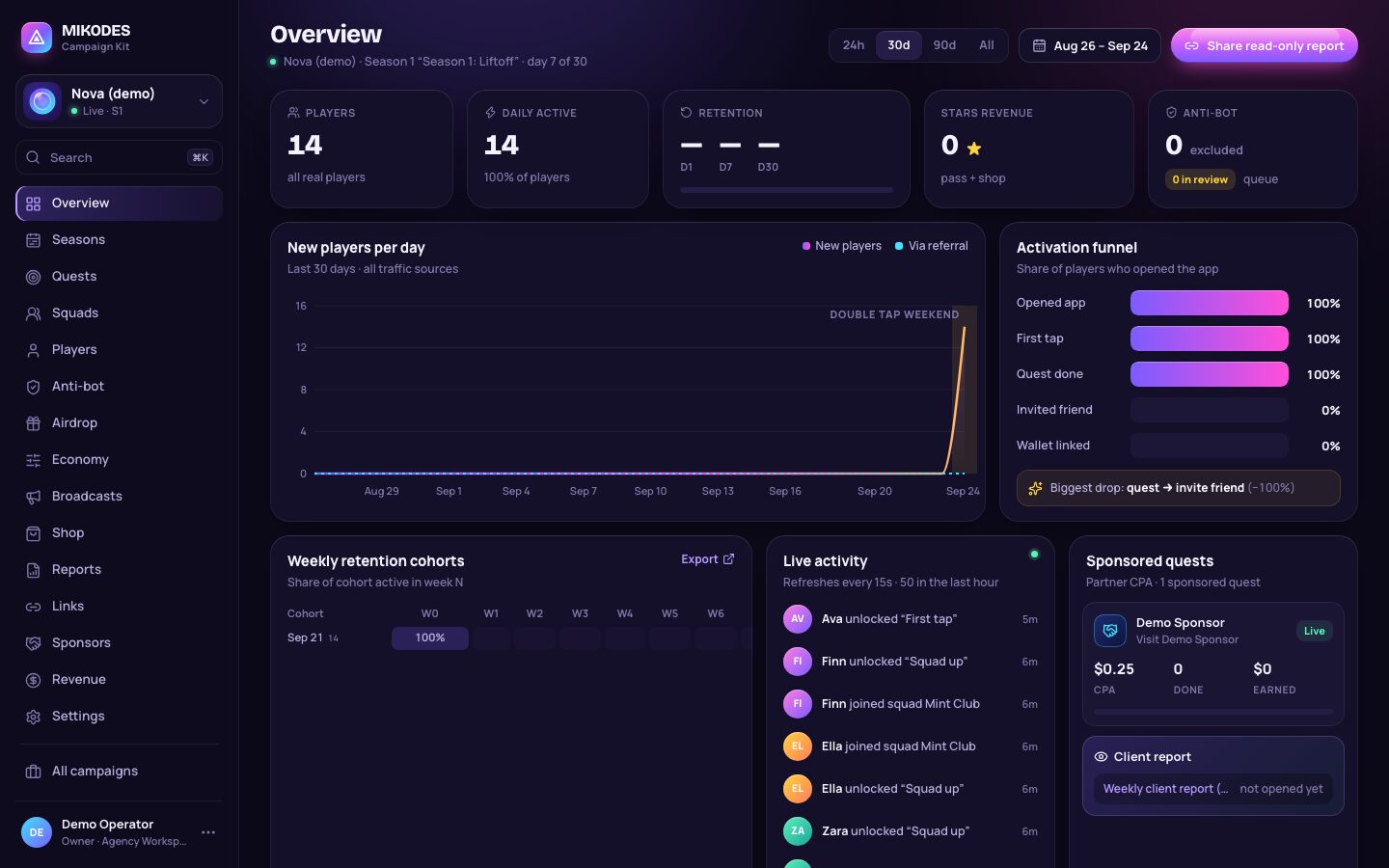
| Overview | KPIs, new players per day with event markers, activation funnel, weekly cohorts, live activity, sponsored quests, client reports. See Overview analytics. | viewer+ |
| Seasons · Season builder | Create seasons, pass tiers, premium price; builder with live phone preview. See Seasons. | manager+ |
| Seasons → Live events | Schedule tap/farm multipliers and quest bonuses, optional push. See Live events. | manager+ |
| Quests · Daily puzzles | Quests incl. sponsored, and the daily puzzle schedule. See Quests. | manager+ |
| Squads | Search and sort squads, disband. See Squads. | manager+ to disband |
| Players | Redacted list, reveal (logged), ban/unban. | manager+ |
| Anti-bot: Review queue · Appeals · Signals & clusters | Recompute scores, thresholds, overrides, appeals. See Fairness & anti-bot. | manager+ |
| Airdrop: Snapshots & claim · Fairness | Snapshot drafts, publish, distributor; fairness rules and allocation settings. See Airdrop runbook. | manager+ drafts; owner publish, deploy, multipliers |
| Economy | Starting stats, limits, daily streak, referrals, upgrade cards, rewarded ads and the Adsgram Reward URL. See Economy. | manager+ |
| Broadcasts | Segmented bot messages, schedule, history. See Broadcasts. | manager+ |
| Shop · Purchases | Stars cosmetics; purchases and refunds. | manager+ items; owner refunds |
| Reports | Read-only client and sponsor report links. See Report links. | manager+; owner for the revenue section |
| Links | Tracked links, QR codes, cost per real player. See Tracked links. | manager+ |
| Sponsors | Partners, invoice CSV, sponsor report. See Sponsors. | manager+ |
| Revenue | Stars, sponsored, rewarded-ads estimate, recorded income, and the Revenue streams this kit supports panel (who pays, how it is charged). See Revenue. | viewer+; owner to record income |
| Settings: Launch · Branding · Token · Campaign · Team · Audit log · Workspace | Launch checklist, branding, token, client assignment and clone, admins and roles, audit log (reveals, bans, exports, config changes; rows cannot be edited or deleted), and a read-only view of how the install is wired. | owner for bot token and team; manager+ others; audit manager+ |
| Clients | The projects you work for, with the same revenue streams panel. See Clients. | manager+; owner to delete |
02Branding: payment support reply
Settings → Branding has a Payment support reply field (up to 1000 characters). It is the text the bot sends when a player types /paysupport, the support command Telegram expects from bots that sell for Stars. Write who to contact about a purchase, for example a support e-mail address. Leave it empty and the bot sends a default text: it names the campaign and the token website, says Stars buy only cosmetics and the season pass, and that refunds go back to the player's Stars balance.
When you save the bot token (Settings → Launch), the API registers the bot's command menu with setMyCommands: /start (opens the campaign) and /paysupport (help with a Stars purchase). If you connected the bot before 1.1.0, save the token once more to add /paysupport to the menu.
03Roles
viewer reads everything, manager edits campaign content and players, owner is needed for money and allocation (bot token, refunds, fairness multipliers, revenue entries, publish, distributor, team). Details: Players, bans and team roles. A button you may not use shows why on hover.
04First run and sign-in
On an empty database the admin shows Set up your admin (the first owner). Afterwards it shows the sign-in form. Sessions last 12 hours. Team → Add admin creates more accounts with an initial password (at least 10 characters); removed admins lose access immediately and their past actions stay in the audit log.
05Light mode and mobile
The admin has a light variant and works on a 390 px wide phone screen, so you can check a live campaign on the go.